Premium settlement and payouts
Finance needs to know what was collected, what is on its way and what has arrived. CoverPay gives you a settlement statement built from the payment record and a payout view that follows every payment to your own premium or trust account.
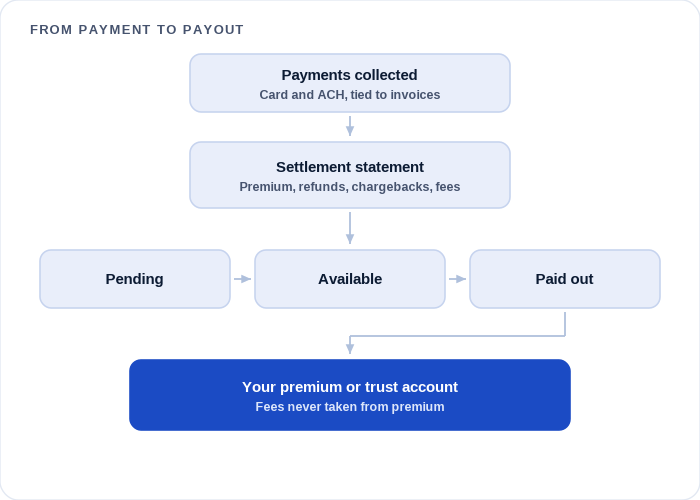
From payment to payout
Every payment is tied to the invoices it paid. Those payments feed the settlement statement, which shows premium, refunds, chargebacks, fees and net premium, broken down by agency, insured, policy and invoice.
The payout view shows the same money moving: pending while it settles, available once it has, and paid out to your account.
Statement compared with payout view
Two views of the same payments, for two questions.
| Settlement statement | Payout view | |
|---|---|---|
| Answers | What did we collect, and for which invoices? | Where is the money now? |
| Shows | Premium, refunds, chargebacks, fees, net premium | Pending, available, paid out |
| Broken down by | Agency, insured, policy and invoice | Payout |
| Used by | Finance and accounting | Treasury and finance |
Paid to your own account
CoverPay does not hold your premium as its revenue.
Refunds and your records
Refunds and posting keep the statement and your books aligned.
Related
Questions
Talk to us about settlement and reporting
Tell us how your finance team reconciles premium today. We will show you the statement and payout view.