Request premium payment directly from the insured
When an agent would rather the insured pay, CoverPay sends the insured a secure link for that invoice. The insured pays by card or bank account, the agent never handles payment details, and the premium settles to your account.


Why agents hand the bill on
In many programs the agent is not the one paying. The insured owes the premium, but the request reaches the agent first, and collection stalls while the agent chases the insured, takes card details over the phone or waits for a check.
With CoverPay the agent can pay the invoice now, or pass that specific invoice to the insured in a few clicks. Either way the money arrives through the same checkout and lands in the same place.
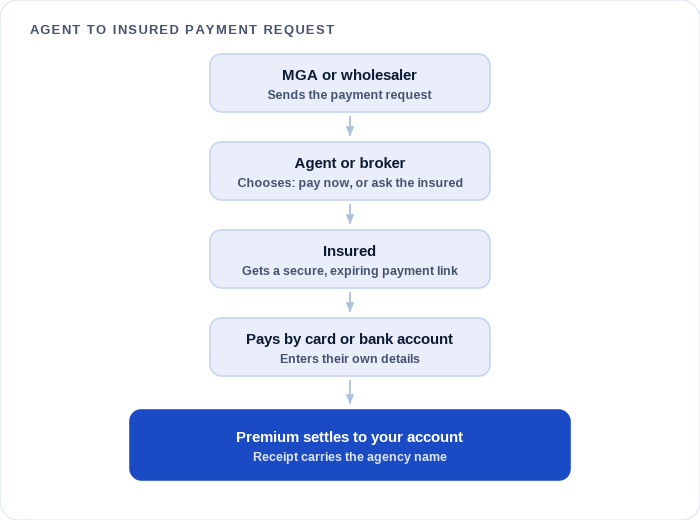
How it works
Four steps, from the agent's payment page to premium in your account.
- The agent opens their payment linkThe link you send lists the open invoices for that account.
- The agent chooses Request payment from insuredThey select the invoice, confirm the insured's email address and send.
- The insured pays securelyThe insured opens a link for that invoice only, sees the premium and the fee as separate amounts, and pays by card or bank account. No CoverPay account is needed.
- Premium settles to youThe payment is recorded against the invoice, the insured gets a receipt in the agency's name, and the premium settles to the account you chose.
Built-in controls
Passing an invoice to the insured follows your rules, not a workaround.
Where the premium goes
The insured's payment follows the same path as every other CoverPay payment.
Related workflows
Questions
See an insured payment request in a demo
We will walk through the agent and insured experience with your own payment flow in mind.